Collections
An issue you assemble yourself: articles from anywhere on the network, gathered, ordered, and rendered as a magazine edition other people can read and follow.
What a collection is
A list groups publications for your own convenience. A collection is the other thing: you pick individual articles, put them in an order, give the result a cover and a title, and publish it.
The result reads like an edition of a magazine rather than a feed — a cover, a contents page, and the pieces in the sequence you chose. Anyone can read it, and readers can follow your collections the way they follow any publication.
Nothing is copied. A collection points at articles where they already live, so the writers keep their work and their readers; you are editing, not republishing.
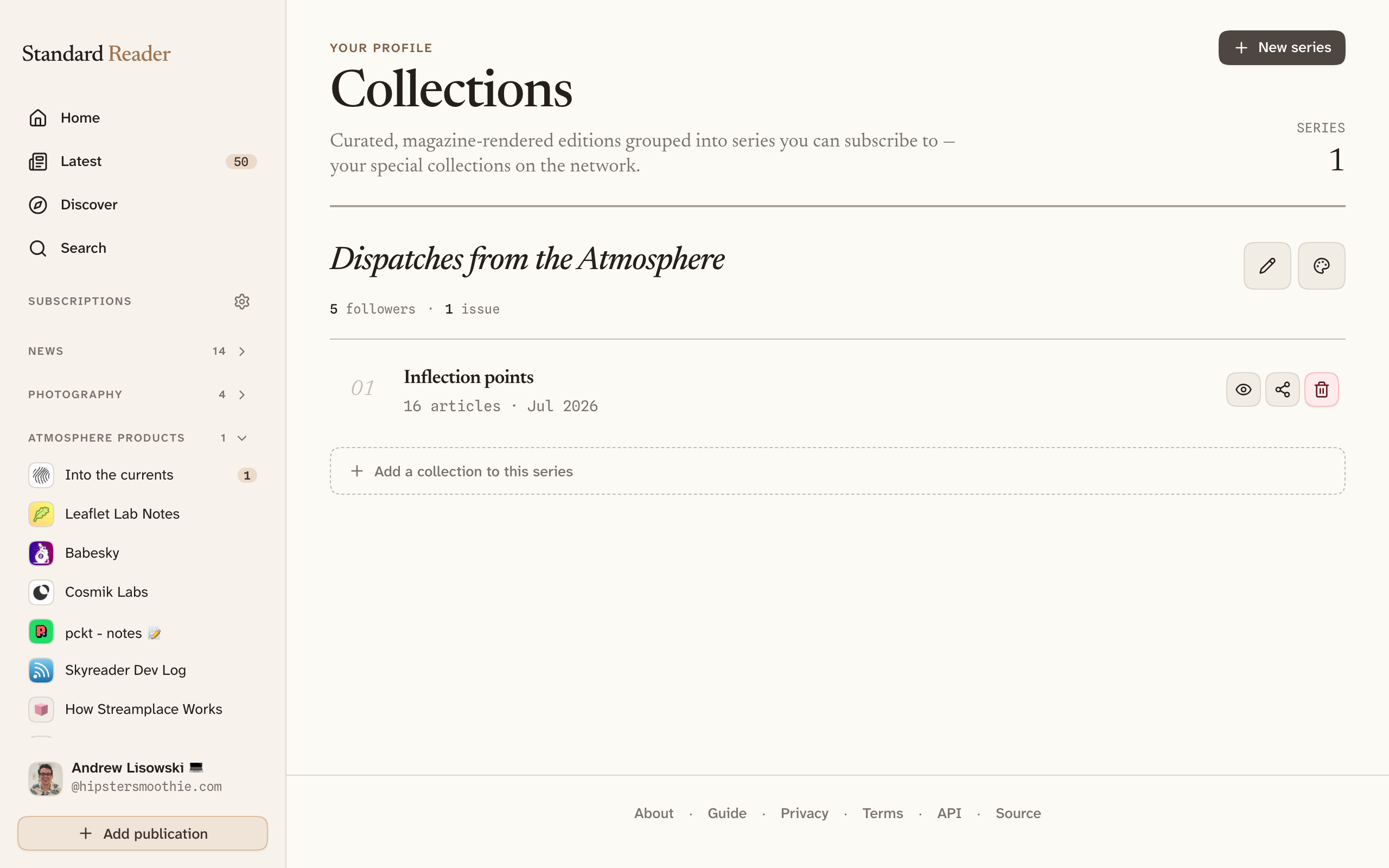
Making a collection
- Open Collections in the sidebar and start a new one.
- Give it a title and a cover, then add articles. Anything indexed on the network can go in, from any publication.
- Drag the pieces into the order you want them read, and publish.
An edition is not only a list of links. You can write an introduction that sets up the issue, a note alongside any individual piece saying why it is here or what to watch for, and an outro to close. That is the difference between a folder of bookmarks and something edited — the writing between the pieces is where your voice lives.
You can come back and edit an edition later — change the order, swap the cover, rewrite a note, add a piece you missed.
The one-time permission
Publishing a collection writes a new kind of record to your account, and the permission you granted when you signed in does not cover it. The first time you make one, you will see an Upgrade permissions prompt.
Approving it sends you through your account provider once more and returns you to the editor. It only happens once; after that, collections work like anything else. Declining leaves the rest of the app untouched.
Grouping editions into a series
Several collections can be grouped into a series — a run of issues under one name. A series behaves like a publication of your own: it has a page, readers can follow it, and each new edition reaches them the way any other publication would.
This is the difference between making one anthology and running something with a rhythm to it — a weekly roundup, a themed quarterly, a reading list you keep adding to.
How readers see it
Opening a collection shows the magazine edition — cover first, then the pieces in order. Individual articles inside it can still be opened, saved, and recommended exactly as they can anywhere else.
Readers who would rather not get the magazine treatment can turn Open collections in magazine off in settings, and collection articles open in the ordinary reader instead.