Keeping track
Following, saving, recommending, and — once you subscribe to more than a handful of publications — keeping the whole thing tidy.
Subscribing to a publication
Subscribe is the whole mechanism. New writing from anything you subscribe to appears on Home and in Latest, and the publication is listed in your sidebar. There is no email sign-up and no separate account with the publisher.
The button sits next to a publication's name wherever you meet it — a card in a feed, the top of an article, the publication's own page. Select it again to unsubscribe.
Following a person
People work differently. You subscribe to a publication; you Follow a person, from their author page. The distinction matters, because following a person does two things a subscription does not.
First, it covers everything they publish — every publication they run today, and any they start later, without you having to notice and subscribe to it. Writers here often keep several: a main one, something occasional, a project that turns into its own thing.
Second, it brings you what they recommend. Articles they have recommended start appearing in your feed, marked with who recommended them. That is the quiet engine behind finding new writing here: you are not only subscribing to what someone writes, you are borrowing their taste in what to read.
So subscribe to the publication when you want that particular thing, and follow the person when you want the writer — and their reading. In the sidebar and in Subscriptions the two are listed together, with a Type column telling them apart.
Saving for later
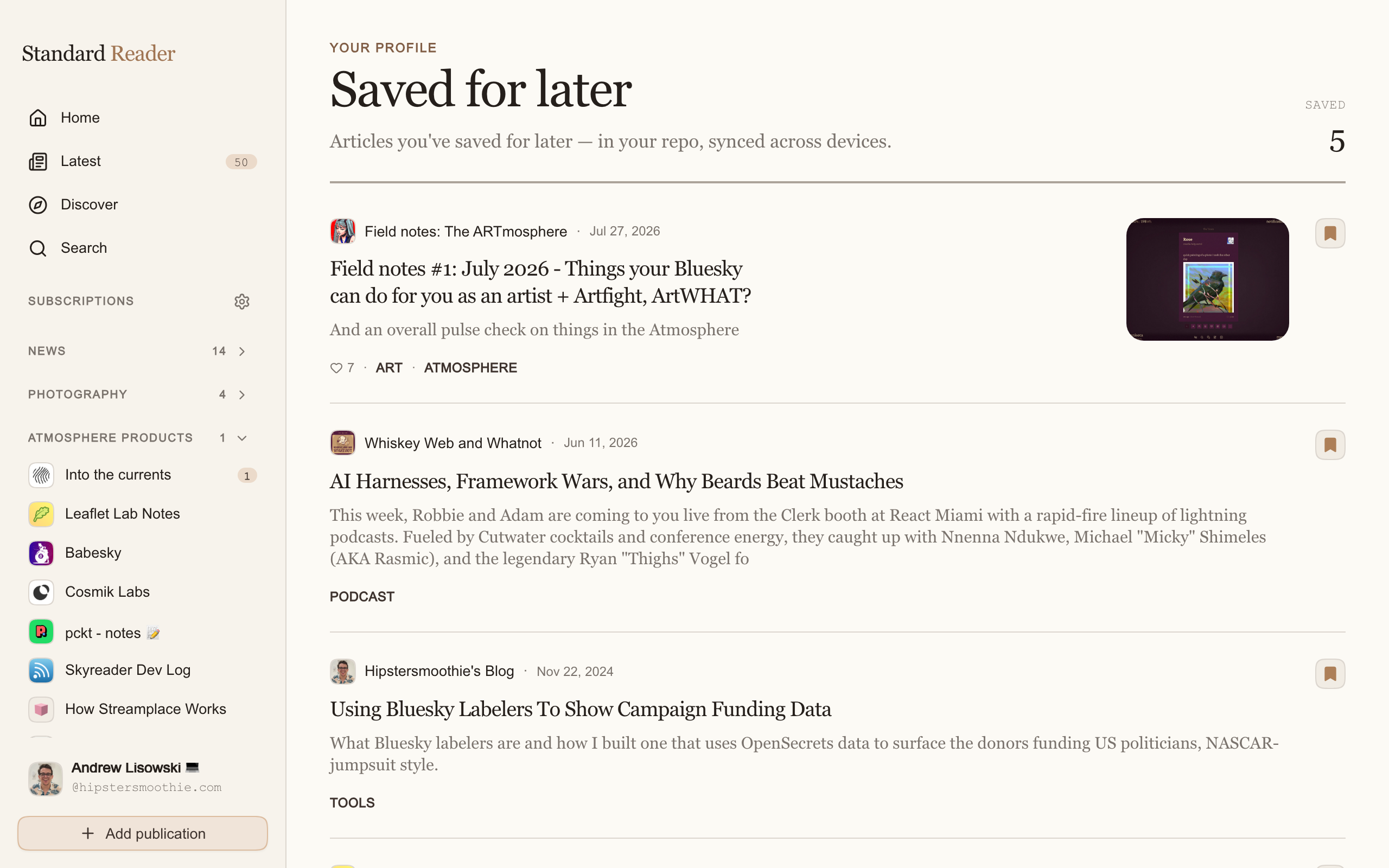
Save for later puts an article in a queue you can come back to, without marking it read. Saved in the sidebar holds them, newest first, with a badge showing how many are waiting. Saving again removes it.
Recommending an article
At the end of every article is Recommend this article. It is the closest thing here to a like, and it does two useful things: it keeps the piece in your own list of recommendations, and it feeds the network's sense of what is worth reading — including the suggestions other people see.
Your recommendations are public, the same way a like on Bluesky is. They are listed in your account menu under Recommended articles, and on your author page.
Your reading history
Every article you open while signed in is recorded, newest first, at Reading history in your account menu. It is what makes unread counts work, and it is the fastest way to find a piece you remember reading but cannot name.
Managing your subscriptions
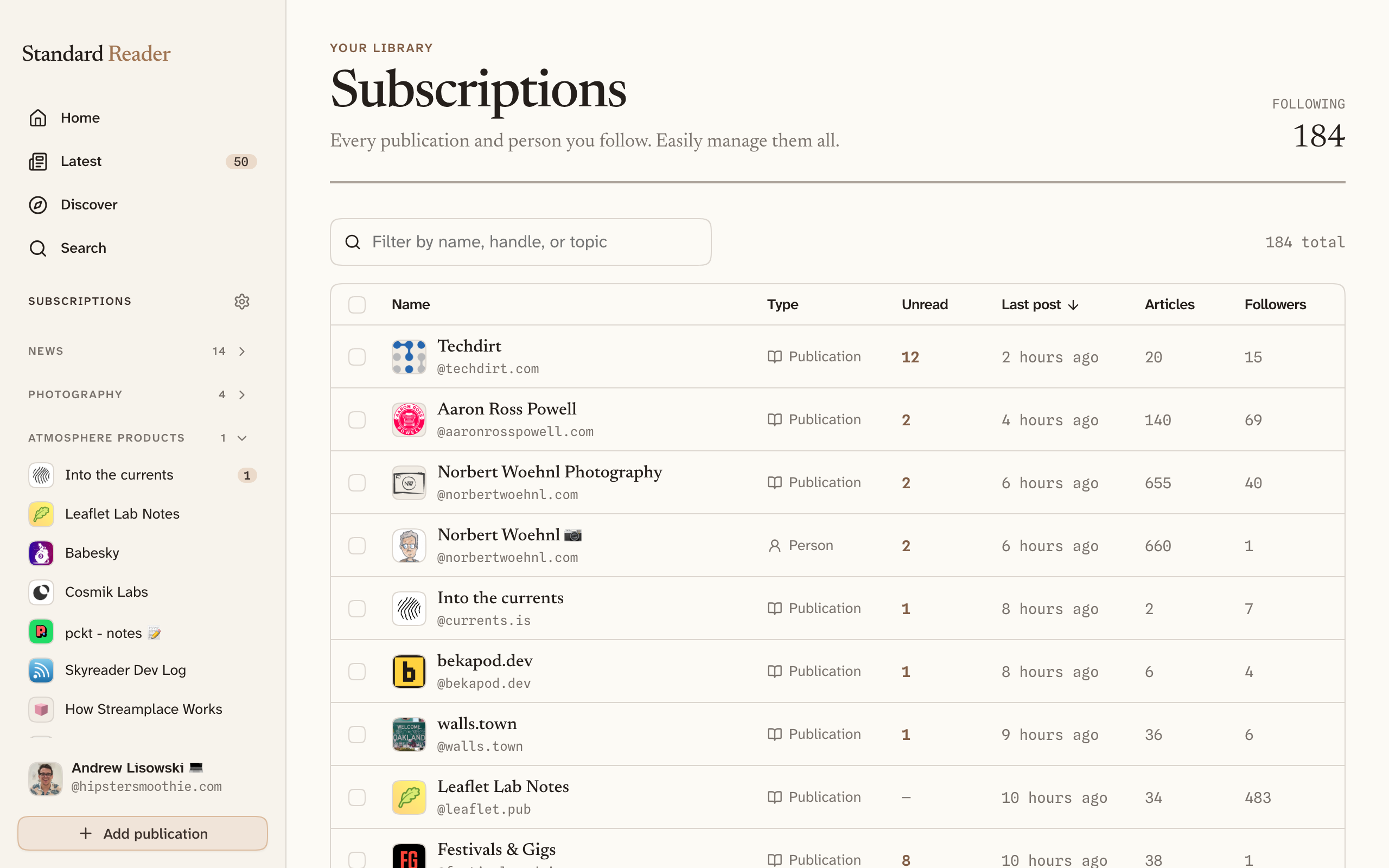
Selecting the Subscriptions heading in the sidebar opens one table of everything you follow — publications and people together. Each row shows unread count, when it last published, how many articles and readers it has, its topic, and which of your lists it belongs to.
Every column sorts, and the filter box narrows by name, handle, or topic. Sorting by Last post is the quickest way to find the publications that quietly stopped writing; sorting by Unread finds the ones you are drowning in.
Select several rows at once and you can add them all to a list, or unfollow them all together.
Once the table itself gets long, two things pick up where it leaves off: lists group what you follow into the sidebar, and collections let you assemble articles into an edition of your own.